
 German
 Japanese
 Portuguese
 Korea
Korea
 Mexico
 Dutch
Dutch


Demystifying Motion Sensor Installation: A Step-by-Step Guide

What is Motion Sensor?

A Motion Sensor is an electrical device that detects physical movement inside a defined area. These sensors are widely utilized in security systems, automated lighting, and other smart home applications. These devices can detect motion and perform particular actions, such as turning on lights, activating cameras, or sending alerts to a security system.
What Does a Motion Sensor Do?
The main function of motion sensors is to identify motion and translate it into an electrical output. This signal can then control other systems or devices. Motion sensors can, depending on their type and setup, do the following:
Turn on the lights when someone walks into a room.
Set off security system alarms.
In surveillance systems, record video.
Manage air conditioning systems to save electricity.
Automate gadgets and appliances in your house.
Types of Motion Sensors
There are many different kinds of motion sensors, and they all use various technologies to identify movement. The most typical kinds consist of:
Passive Infrared (PIR) Sensors: Sensors that detect infrared radiation from warm things, such as people and animals, are known as passive infrared (PIR) sensors. They are extensively utilized in both business and residential security systems.
Ultrasonic Sensors: They generate ultrasonic waves and time how long it takes for them to return after striking an object. They can pick up on even the smallest motions because of their extreme sensitivity.
Microwave Sensors: To detect motion, use microwave pulses. Compared to PIR sensors, they are less likely to trigger false alarms due to temperature variations and cover a wider area.
Dual-Technology Sensors: To lower false alarms and improve accuracy, combine two or more detection techniques (for example, microwave and PIR).
Video related to Motion Sensor.
Do Motion Sensors Have Cameras?
A built-in camera is not present in most motion sensors. To offer visual confirmation when motion is detected, some sophisticated models—particularly those seen in security systems—may incorporate cameras. Smart cameras or motion-activated cameras are common names for these hybrid gadgets.
Can Motion Sensor Measure Velocity?
Generally speaking, motion sensors are not made to measure velocity directly. Rather than measuring movement speed, they detect motion's existence or absence. But in some cases, such as radar-based sensors, certain sophisticated sensors can determine velocity based on the frequency and pattern of motions they perceive.
Can Motion Sensor Be Turned Off?
Yes, motion sensors can be turned off. Most versions include manual switches or controls that can be disabled temporarily or permanently. Smart motion sensors can also be controlled remotely via a smartphone app or home automation system.
How Do Motion Sensors Work?
Motion sensors detect changes in the surroundings within their area of vision. Here's a quick introduction to how various types of motion sensors work:
PIR Sensors: Detect the fluctuations in infrared radiation induced by moving heated objects. When a heated object, such as a person, enters the sensor's range, it creates a change in infrared energy, triggering the sensor.
Ultrasonic Sensors: Emit ultrasonic waves and measure how long it takes for them to reflect. Any movement within the detecting region alters the time it takes for the waves to return, triggering the sensor.
Microwave Sensors: Microwave sensors emit microwave pulses and detect variations in the frequency of reflected waves generated by moving objects. This Doppler effect activates the sensor.
Dual-Technology Sensors: Use two or more detecting technologies to increase accuracy and eliminate false alarms. For example, a PIR sensor may activate first, followed by a microwave sensor to confirm.
How to Wire a Motion Sensor?
A motion sensor's precise wiring is essential to its operation. Here's a detailed how-to:
Turn Off the Power: To avoid electric shocks, off the power at the circuit breaker before beginning any electrical operation.
Mount the Sensor: Select a spot for the sensor that will allow it to cover the necessary area; this is usually between 6 and 8 feet high. Use adhesive or screws to firmly mount the sensor.
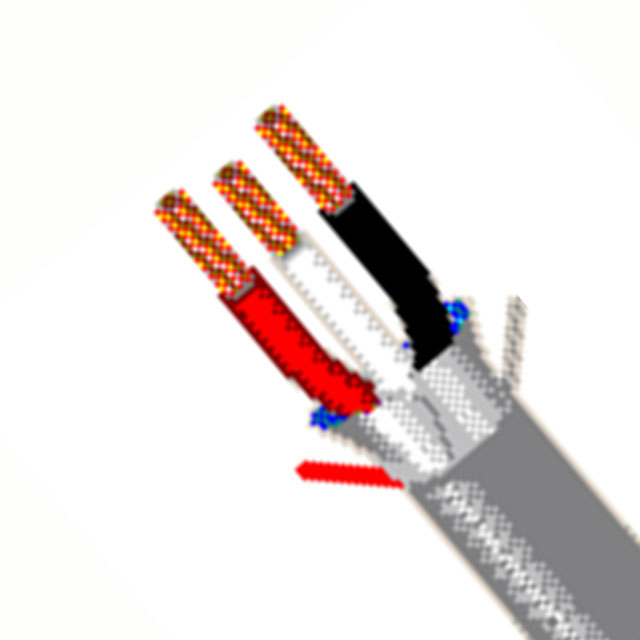
Connect the Wires: You will usually have three wires: live (hot), neutral, and ground, depending on the type of sensor. Attach the cables to the sensor's matching terminals. Make sure every connection is safe and insulated appropriately.
Test the Sensor: After connecting it, turn the power back on and give the sensor a test to make sure it functions properly. As necessary, change the range and sensitivity settings.
How to Install Motion Sensor?
There is more to installing a motion sensor than simply connecting it. Follow these procedures to ensure a successful installation:
Choose the Right Location: Choose a site with a clear line of sight and sufficient coverage for the specified detection area. Avoid locating sensors near heat sources, moving objects, or in direct sunlight.
Mount the Sensor: Follow the manufacturer's instructions to properly mount the sensor. Use the screws, brackets, or sticky strips provided.
Adjust the Settings: Set the sensor's sensitivity, range, and detection angle according to your requirements. Test the settings to get the best possible performance.
Connect to the System: If the sensor is part of a larger system (such as security or smart home), integrate it according to the manufacturer's instructions. This could include syncing with a central hub or connecting to a network.
Test the Installation: After installation, thoroughly test the sensor to confirm that it detects motion as intended. Make modifications as needed to improve performance.
How to Create a Motion Sensor?
It is necessary to comprehend fundamental electronics and sensor technologies to build a motion sensor from scratch. Here's a quick guide on using a PIR module to make a simple motion sensor:
Gather Components: A PIR sensor module, an Arduino-style microcontroller, wires, and a power supply are required.
Connect the Components: Attach the microcontroller to the PIR sensor. This usually entails attaching the power and ground pins to the microcontroller as well as connecting the sensor's output pin to a digital input pin on the microcontroller.
Write the Code: Create a straightforward program that instructs the microcontroller to read the sensor's output and respond to motion detection. You could, for instance, transmit a signal to another device or switch on an LED.
Upload and Test: Test the sensor after uploading the code to the microcontroller. As necessary, modify the code or the location of the sensors.
How to Replace a Motion Sensor?
Replacing a broken or obsolete motion sensor is a simple procedure. Here's how:
Turn Off the Power. Ensure the power is off to avoid electric shocks.
Remove the old sensor. Unscrew the old sensor and unplug its cables.
Install the new sensor. Connect the new sensor's cables to their respective wires in the junction box. Mount the sensor securely.
Test the new sensor. Restore power and test the new sensor to confirm it functions properly.
Where is Motion Sensor on Ring Doorbell?
The motion sensor on a Ring Doorbell is usually found on the front face of the device, immediately below the camera lens. This placement enables the sensor to detect activity in the area directly in front of the doorbell, offering the best coverage for visitors and potential intruders.
Conclusion
Motion sensors are multifunctional gadgets that improve security, convenience, and energy economy in both homes and businesses. Understanding how they function, how to install and wire them, and how to solve common problems can help you get the most out of these devices. Whether you're installing a new motion sensor or upgrading an old one, following the recommendations and tips in this article will ensure a smooth installation and functioning.

Related Articles
- ·Beyond Capacity: Why Bandwidth and Power Efficiency Now Define Memory Value
- ·Understanding Memory Price Cycles: Key Drivers Behind Supply and Demand Shifts
- ·DRAM vs. NAND: How AI Demand Is Reshaping the Memory Industry
- ·HBM Explained: Why High-Bandwidth Memory Is Critical for AI Accelerators
- ·Beyond Capacity: Why Bandwidth and Power Efficiency Now Define Memory Value
- ·Understanding Memory Price Cycles: Key Drivers Behind Supply and Demand Shifts
- ·DRAM vs. NAND: How AI Demand Is Reshaping the Memory Industry
- ·Memory Chip Market Outlook: What Buyers Should Watch Heading into Q4
- ·EMI and EMC in Electronics Design: How to Prevent Problems Before Testing
- ·USB-C Power Delivery Explained: What Engineers Need to Know About EPR
 FAQ
FAQ







.png?x-oss-process=image/format,webp/resize,h_32)


