 German
 Japanese
 Portuguese
 Korea
 Mexico
 Dutch

Unlocking Micro SD Card Magic

What is a Micro SD Card?
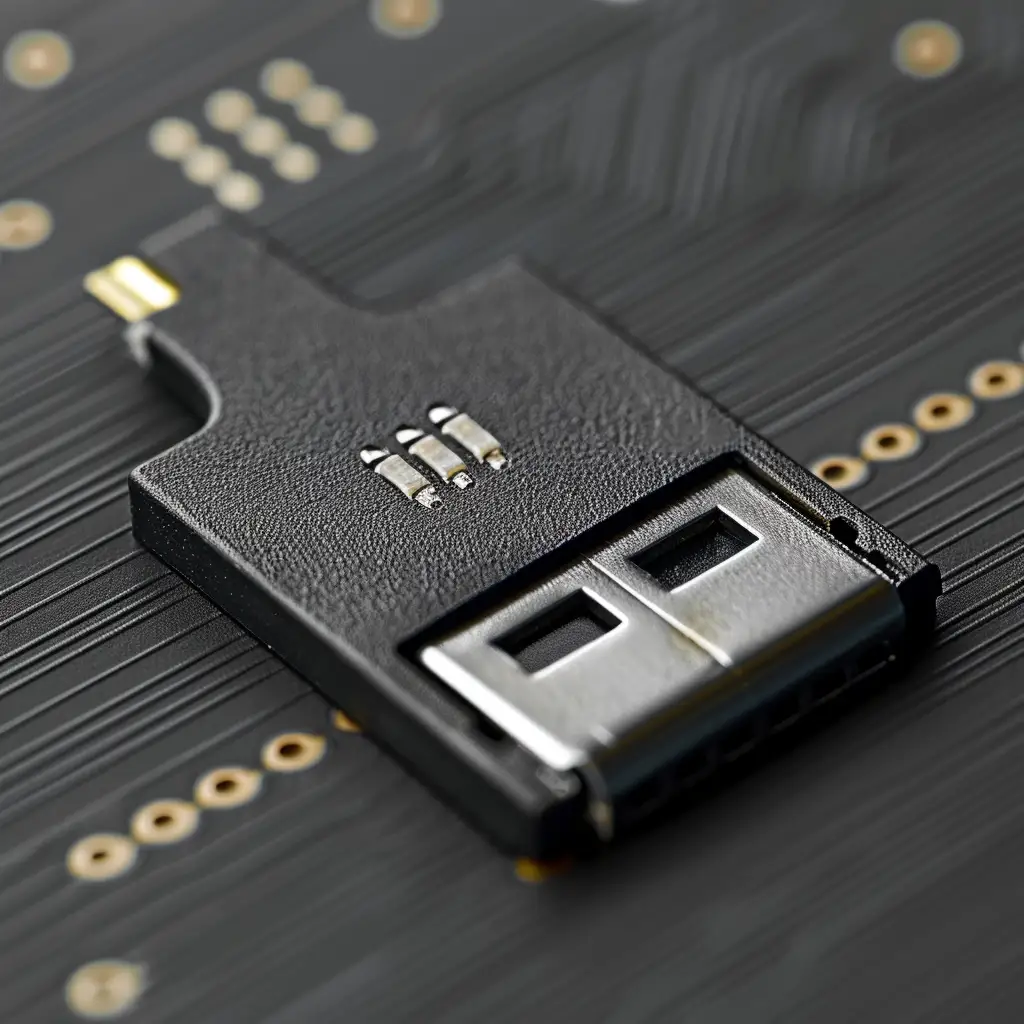
A Micro SD Card is a kind of flash memory storage that resembles USB drives but was created especially for portable devices because of its small size. You may store a substantial quantity of data in a relatively tiny space thanks to their diverse capacities, which range from a pitiful 64MB to an astounding 1TB.
What are Micro SD Cards Used For?
Nintendo Switch: Excited gamers! To increase your Nintendo Switch's storage and download and play additional games without erasing your old favorites, you'll need a micro SD card.
Mobile Phones and Tablets: A micro SD card can greatly increase a smartphone or tablet's capacity to store images, movies, music, and apps. Many smartphones and tablets do not have expandable storage.
Action Cameras: Micro SD cards are used by GoPro cameras and other action cameras to save the heart-pounding moments you record. When selecting a card for these purposes, durability is crucial.
MP3 Players: To enjoy music on your MP3 player continuously, load your favorite songs onto a micro SD card.
Digital Cameras: To save recorded images and videos, contemporary digital cameras frequently use micro SD cards. High-resolution photos and videos work best with cards that have a larger capacity.
Drones: Micro SD cards are usually used to store the amazing aerial video that drones capture. Quick and dependable cards are essential for shooting fluid, high-definition video.
Video related to Top 5 BEST Micro SD Cards in 2024
How Do Micro SD Cards Work?
Micro SD cards make use of flash memory technology, which uses linked flash memory cells to electronically store data. Micro SD cards are more resilient to physical shock and vibration than conventional hard drives since they don't have any moving elements as spinning platters do. These cells use electrical charges to write and read data.
How to Install a Micro SD Card?
Locate the SD Card Slot: To locate the micro SD card slot, refer to the user manual for your device. Usually, it's located beneath a detachable panel or on the side.
Assemble the Card: Make that the micro SD card's write-protect switch is unlocked, if it is there.
Insert the Card: With the gold contacts facing downwards, carefully insert the micro SD card into the slot until it clicks into place.
Format the Card (if necessary): It may be necessary for you to format the micro SD card before using it on some devices. Make a backup of any crucial data before formatting since it removes all previous data. Usually, there will be a formatting option in the settings menu of your device.
Use the Card: Based on the features of your device, you can now store and access your data using the micro SD card that has been loaded and formatted.
How to Test a Micro SD Card?
Like any electronic device, micro SD cards can malfunction. Here's how to test if yours is functioning properly:
Connect the card to your computer: To link the card to your computer, use a micro SD card reader.
File Explorer (Windows) or Finder (Mac): Locate the drive that signifies your micro SD card.
File Transfer: Try moving files to and from the card using the file transfer feature. Errors that occur during the transfer or slow transfer speeds may be signs of a problem.
Disk Checking Tools: Disk inspection utilities are included in both Windows and macOS. Check your micro SD card to see if there are any faults that you might potentially resolve. For detailed instructions on how to utilize these tools, refer to the user manual or online resources that came with your device.
Do Micro SD Cards Go Bad?
Yes, just like any other electrical item, micro SD cards can break down over time. Because flash memory can only store a certain amount of data, the more you write to and remove from the card, the shorter its life will be.
How Long Do Micro SD Cards Last?
The lifespan of a micro SD card depends on various factors like quality, frequency of use, and storage conditions. High-quality cards from reputable brands generally last longer. However, it's difficult to predict an exact lifespan.
Signs of a Failing Card:
Data corruption: When files become corrupted or unusable.
Slow performance: Data transfers to and from the card become unresponsive.
Errors: When utilizing the card, you frequently make mistakes.
It's advisable to replace the micro SD card and make a backup of your data right away if you notice any of these symptoms.
Is an SD Card Better than a Micro SD Card?
While micro SD cards are undeniably compact, there's also the standard SD card. Here’s the difference:
Size: Micro SD cards have a much smaller size than SD cards. For devices with limited space, like drones and cellphones, they are perfect.
Capacity: SD and micro SD cards are available in several capacities, the largest of which is 1TB.
Compatibility: To utilize Micro SD cards in devices meant for conventional SD cards, an adapter is frequently needed.
Generally speaking, you'll require the card if your device has a dedicated micro SD card slot. Generally speaking, regular SD cards are probably a better choice for larger devices like cameras.
Where are Micro SD Cards Used?
Compact and lightweight, micro SD cards are widely utilized in numerous electronic gadgets that require expanded memory or extra storage capacity. The following are some locations where they are most frequently found:
Mobile Phones and Tablets: Micro SD cards are used by a lot of smartphones and tablets to store files such as music, videos, images, and even programs, especially those lacking extendable internal storage.
Digital Cameras: Micro SD cards are very popular in point-and-shoot and action cameras, where they are used to store your camera's images and videos.
Cameras on the go and drones: Drones and action cameras, like digital cameras, store high-resolution video on micro SD cards so that the internal capacity of the device isn't filled up.
Gaming Devices: Micro SD cards are sometimes used by portable gaming consoles and handheld devices to store extra game data or download material.
Other Electronic Devices: In addition to these typical applications, micro SD cards are used in dashcams, e-readers, and some GPS units to store data and maps.
Conclusion
These little titans of storage, micro SD cards, provide a strong and practical means of extending the digital capabilities of your gadgets. You can make sure these little magicians stay in the magic for a very long time by learning how they operate, utilizing them correctly, and taking care of them. Therefore, keep in mind the micro SD card—a small powerhouse ready to unlock a world of possibilities—the next time you need to store a ton of images, download additional games, or record amazing drone video.

Related Articles
- ·Qualcomm PM8550 vs. PM8550B vs. PM8550VS: Features, Differences, Applications, and Selection Guide
- ·Qualcomm PM8350 vs. PM8350C: Architecture, Features, Applications, and Selection Guide
- ·Qualcomm PM8150 vs. PM8150B vs. PM8150L: Functions, Architecture, Applications, and Selection Guide
- ·SGM41541 vs. SGM6605: Battery Charger and Synchronous Boost Converter Comparison
- ·ADI LTM4630A vs. LT8645S: Power Module and Silent Switcher Regulator Comparison
- ·Richtek RT8206A vs. RT9013: Architecture, Specifications, Applications, and Design Considerations
- ·MPS MP2657, MPQ6610GJ-AEC1-Z, and MP2856: Identification, Functions, and Application Comparison
- ·TPS6594-Q1 vs. TPS65219-Q1 vs. TPS653860-Q1 vs. LP87745-Q1: TI Automotive PMIC Comparison
- ·Electronic Components Monthly Market Report
- ·MediaTek MT6369, MT6360, MT6365, and MT6375: Functions, Architecture, and Selection Guide