
 German
 Japanese
 Portuguese
 Korea
Korea
 Mexico
 Dutch
Dutch


What is a Rotary Switch

📋 Table of Contents
What is a Rotary Switch
A rotary switch (also known as a knob switch or band switch) is an electromechanical component that switches internal contacts by manually rotating a knob, enabling circuit on/off control, multi-position selection, or function switching.

1. Core Structure
- Operating shaft/knob: The part that the user rotates
- Positioning mechanism (ratchet/ball spring): Provides a distinct tactile feedback and locks the position
- Contact system:
- Moving contact: Rotates along with the shaft
- Static contact: Fixed on the base
- Insulating base and shell: Provides support and electrical isolation
2. Working Principle
Turn the rotary knob → drive the moving contact to rotate → make contact with/disconnect from different fixed contacts → switch the circuit state.
- BBM (Break Before Make): When switching, first disconnects the old circuit, then connects the new circuit (safer operation)
- MBB (Make Before Break): During switching, the old and new circuits are momentarily connected simultaneously (prevents signal interruption)
3. Main Types
Based on poles/layers:
- Single-pole, multi-throw (SPnT): Controls one circuit with multiple position options
- Multi-pole, multi-throw (MPnT): Simultaneous control of multiple circuits
According to positions:
- 2-position (on/off)
- Multiple positions (3-position, 4-position, 6-position, etc.)
By reset mechanism:
- Self-locking type: Maintains its position after rotation (e.g., fan speed settings)
- Self-resetting type: Automatically returns to original position when released
By function:
- Switching type: Selects different circuits/functions
- Adjustable type: Changes resistance/voltage (e.g., dimming, speed control)
- Encoding type: Outputs digital signals (rotary encoder)
4. Common Applications
- Home appliances: Mode/speed switches for electric fans, washing machines, ovens, and microwaves
- Instruments: Multimeter and oscilloscope range/function switching
- Industry: Machine tool mode selection, control cabinet switches
5. Difference from Other Switches
- vs Toggle switch: Rotary operation, more positions available, suitable for multiple choices
- vs Potentiometer: Rotary switches have stepped positions (discrete); potentiometers provide continuous adjustment (stepless)
How Does a Rotary Switch Work
1. Basic Internal Structure
- External knob
- Central rotating shaft
- Ring of fixed contacts at the bottom (like small metal pieces)
- Rotatable metal slider connected to the shaft
Think of it as: A rotary selector that connects to a specific circuit depending on which position it's turned to.
2. What Happens During Rotation
- You rotate the knob
- The shaft rotates along with the metal slider
- The slider rotates to a certain position and contacts the corresponding fixed contact
- Circuit is connected → Device performs corresponding function
- To shift to the next position, it first disconnects the old contact, then connects the new contact
Core working method: Rotation → Position change → Circuit change
3. Typical Example: 3-Speed Electric Fan Switch
- 0 position: Slider suspended → Power off → Fan not running
- 1st position: Slider connected to low-speed circuit → Light breeze
- 2nd position: Slider connected to medium-speed circuit → Medium breeze
- 3rd position: Slider connected to high-speed circuit → Strong breeze
The entire process involves only mechanical switching of contacts, with no voltage regulation or frequency conversion.
4. Key Features
- Tactile feedback: Internal spring and detent mechanism provides a clicking sensation when rotated to the correct position
- Multiple position options: Capable of controlling several circuits simultaneously
- Pure mechanical: Conducts electricity through physical contact, not through electronic signals
Working Mechanism of a Rotary Switch
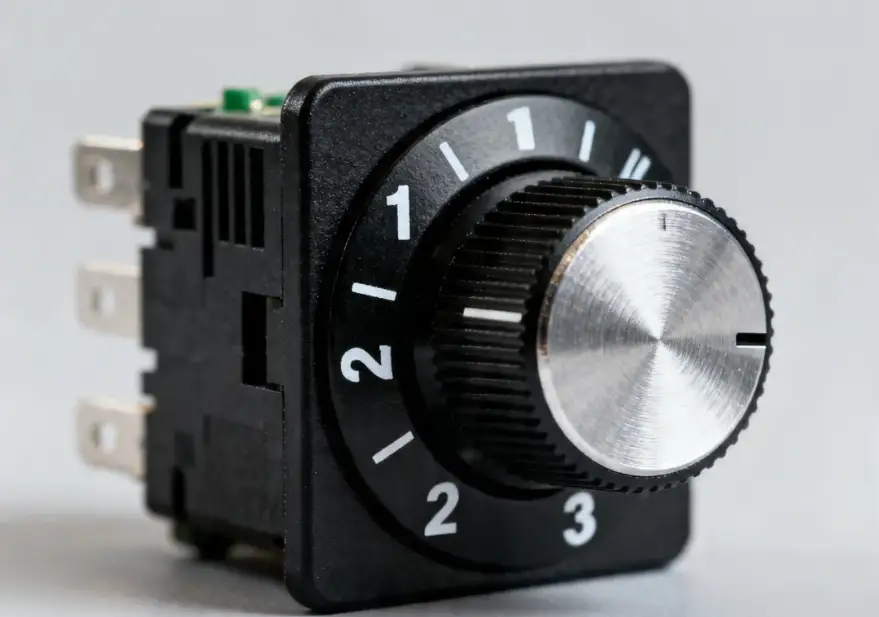
The rotary switch relies on mechanical rotation to drive the moving contact, which connects or disconnects with stationary contacts at different positions, achieving circuit switching, position selection, and multi-channel signal conversion.
Structural Core
- External: Knob, operating shaft
- Internal: Moving contact (rotates with shaft), stationary contacts (fixed on base), positioning spring (for position locking)
Working Process
- Turn the knob → The rotating shaft drives the moving contact to rotate synchronously
- When the moving contact reaches a certain position and touches the corresponding stationary contact, the circuit closes
- Continue rotating → The moving contact first separates from the original stationary contact (circuit opens), then contacts the next set of stationary contacts (new circuit closes)
- The positioning structure ensures clear position detents and self-locking capability
Essence: A purely mechanical switch that relies on physical contact to make and break circuits, enabling multi-position and multi-circuit selection control.
How Does a Rotary Dimmer Switch Work
Unlike standard rotary switches that simply "switch circuits," a dimmer switch continuously changes the average voltage applied to the bulb.
Core Principle in One Sentence
By rotating to change resistance, we control the conduction angle of a triac (thyristor), thereby altering the average voltage supplied to the bulb and achieving dimming.
Detailed Working Process
1. You rotate the knob
The knob is connected to a potentiometer (variable resistor). When rotated, the resistance increases or decreases.
2. Resistance controls the trigger circuit
Resistance change → Changes the triggering time of the triac.
3. The triac conducts only during a portion of the AC cycle
- Household electricity is 50Hz/60Hz alternating current, with positive and negative cycles alternating
- Bright: The triac has a long conduction time, supplying almost full voltage to the bulb
- Dim: The triac has a short conduction time, energized only briefly → Average voltage to the bulb decreases, making it dimmer
4. Change in bulb brightness
Due to the rapid changes (50-60 times per second), the human eye cannot perceive the flickering, perceiving only a continuous change in brightness.
Simple Analogy
Imagine alternating current as flowing water:
- The knob controls the duration of the valve's opening
- Open longer → More water flow → Brighter light
- Open shorter → Less water flow → Dimmer light
Fundamental Difference from Ordinary Rotary Switch
- Common rotary switch: Mechanical contact switching circuit, with only discrete positions
- Rotary dimmer switch: Electronic voltage regulation, stepless continuous dimming
Compatible Lights
Best suited for: Incandescent lamps, halogen lamps
Many cannot be directly used for: LED lights (require dedicated LED-compatible dimmers)
How to Connect a Rotary Switch
This section covers standard multi-position rotary switches (not dimming type), which are mechanical switches with terminal posts.
⚠️ Safety Rule: The switch should only disconnect the live wire (hot wire), never the neutral wire.
1. Simplest: 2-Position Rotary Switch (On/Off Only)
General labels: L / 1 or COM / NO
- Incoming live wire → One terminal of the switch
- Other terminal of the switch → Load (lamp/motor/heating element)
- Neutral wire connects directly to the other end of the load, bypassing the switch
Equivalent to: Live wire → Switch → Appliance → Neutral wire
2. 3-Position Rotary Switch (Common: Off — 1st Position — 2nd Position)
General labels:
- COM / Common terminal
- 1 / First position
- 2 / Second position
Connection method:
- Incoming live wire → COM terminal
- Terminal 1 → Connected to first load circuit (e.g., lamp 1)
- Terminal 2 → Connected to second load circuit (e.g., lamp 2)
- Neutral wires of both loads → Directly connected to power supply neutral wire
Rotating positions:
- Position 0: None connected
- Position 1: COM ↔ Terminal 1
- Position 2: COM ↔ Terminal 2
3. General Rules for Multiple Positions (4-terminal, 6-terminal)
- Find the terminal labeled COM/C → Connect the live wire
- Other terminals (1, 2, 3...) → Connect to different appliances respectively
- Neutral wire should not pass through any switch; connect directly in parallel to all loads
How to Install a Rotary Dimmer Switch
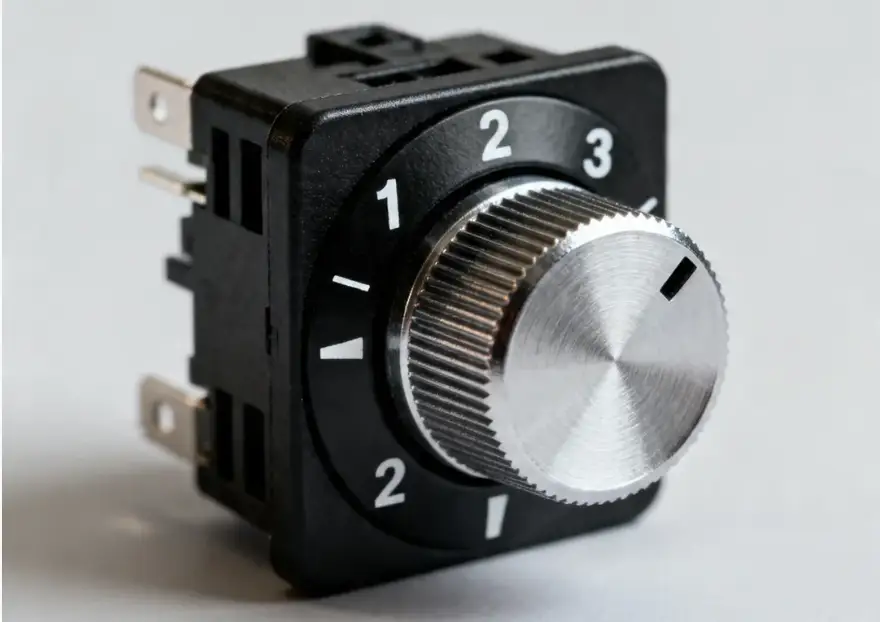
The most standard and safest installation method for household rotary dimmer switches.
1. First, Confirm
You have a wall-mounted rotary dimmer switch (for controlling incandescent lamps/halogen lamps/dimmable LEDs), not a small inline electronic switch.
2. Wiring Principles (Most Important)
The dimmer switch is only connected to the live wire, not the neutral wire (for most traditional models).
Standard identification:
- L / Live wire in: Connect to the live wire from your electrical panel
- ↳ / Lamp wire / LOAD: Connect to the control wire leading to the lamp
- The neutral wire connects directly to the light, bypassing the switch
3. Installation Steps
① Power off! Power off! Power off!
Turn off the corresponding circuit breaker and use a voltage tester to confirm there is no electricity.
② Remove the old switch
Pull out the switch and note the position of the wires.
③ Wiring
- Live wire (the energized one) → Switch L terminal
- Control wire to light → Switch LOAD / ↳ terminal
- Neutral wire should be properly insulated, not connected to switch, and tucked back into the junction box
④ Secure the switch
Insert the wires into the junction box, tighten the screws, and install the panel.
⑤ Power-on test
Turn the knob, and the light should smoothly transition from dim to bright.
4. Two Common Wiring Diagrams
1) Traditional two-wire dimmer switch (most common)
- Live wire → L terminal
- Lamp wire → LOAD terminal
- Neutral wire does not enter the switch
2) New three-wire/with neutral dimmer switch (some LED models)
- L → Live wire inlet
- LOAD → Lamp wire
- N → Neutral wire
If your switch has an N terminal, it must be connected to the neutral wire; otherwise, it will not work.
5. Critical Points to Note
- Only dimmable light bulbs can be controlled — Common LED lights and CFL bulbs may flicker, fail to light, or damage the switch
- Power rating cannot exceed specifications — Common range: 25W to 300W; too many small lights can also cause damage
- Cannot be mixed with smart switches or 3-way controls
- Rotation direction: Generally, clockwise = brighter, counterclockwise = dimmer
How to Install a Rotary Switch on a Lamp Cord
Installing a small rotary switch directly on the lamp wire means connecting the switch in series with one of the lamp wires.
1. First, Understand: A Switch Only Needs to Cut One Wire
Whether it's a two-conductor wire (one live wire and one neutral wire), just cut one of them and connect the switch in series.
Safety specification: It's best to cut the live wire (the energized one), but it's generally difficult to distinguish on lamp wire. Just cut one and connect it to a switch, and it will work.
2. Preparation
- Small rotary switch (2-pin type with only two terminals)
- Wire stripper / Scissors
- Electrical tape
- Cut off the power first!
3. Wiring Steps (Super Easy)
① Cut one of the lamp wires in the middle
Among the two core wires, only cut one of them, while keeping the other one intact.
② Connect the two cut ends to the two pins of the switch respectively
- Cut end A → Switch terminal 1
- Cut end B → Switch terminal 2
③ The other wire remains completely untouched
The neutral wire/other wire is not connected to the switch and remains as is.
④ Wrap with electrical tape and secure the switch
⑤ Power-on test
Rotate switch → Light on / Light off
4. One-Sentence Summary of Connection Method
Cut one wire → Connect each end to two pins of the switch → Leave the other wire untouched.
This is series connection, the universal wiring method for all inline switches.
5. If It's a Dimmer Switch
The connection method is exactly the same: Cut one lamp wire, connect its two ends to the two terminals of the dimmer switch, and leave the other wire unchanged.
How to Install Rotary Dimmer Switch on Lamp Cord
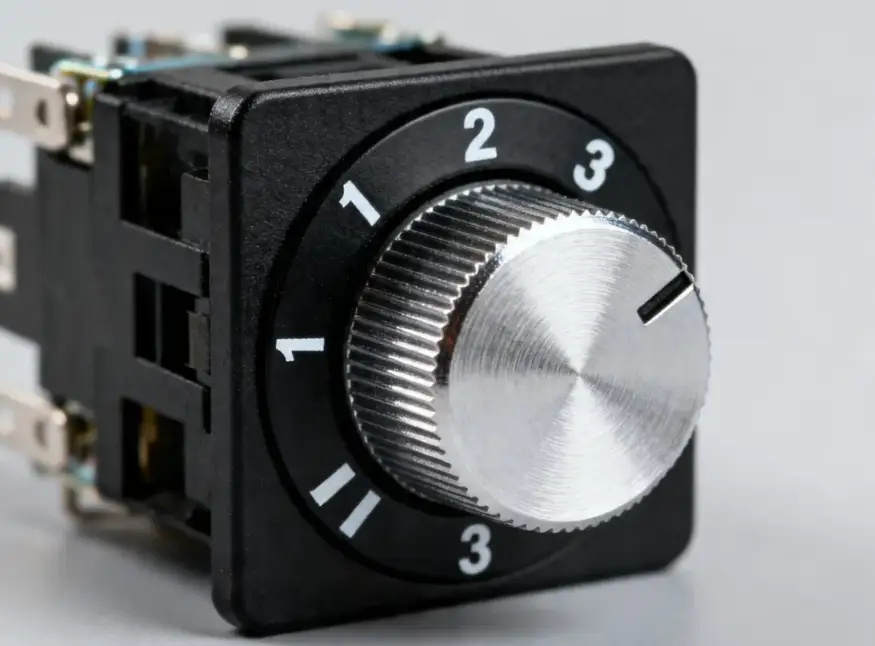
If you want to install a rotary dimmer switch directly on the light wire (not the wall-mounted panel type, but the small rotary knob on the wire), the wiring method is very simple.
1. Remember One Sentence
Dimmer switch = Connected in series on one wire of the lamp; only one wire needs to be cut.
2. Preparation
- First, cut off the power
- One rotary inline dimmer switch (generally with two terminals)
- Power cord with light (two wires: live wire + neutral wire)
3. Installation Steps
① Cut only one of the wires in the middle of the lamp cord
Leave the other one intact; do not cut it.
② Connect the two cut wire ends to the two terminals of the dimmer switch respectively
It doesn't matter which one goes where; there is no polarity distinction.
③ The other wire, which hasn't been cut, passes through directly without connecting to the switch
④ Wrap the insulation and secure the switch housing
⑤ Power on, rotate the knob:
- Clockwise → Brighter
- Counterclockwise → Dimmer
4. Particularly Important (Flickering/Damage if Not Checked)
- This type of inline dimmer can mostly only be used with incandescent lamps and halogen lamps
- Ordinary LED lights will flicker, buzz, and may be damaged after use
- To use LEDs, you must purchase dimmer switches specifically labeled for LED compatibility
5. Simplest Wiring Diagram
Power live wire → Dimmer switch → Lamp → Neutral wire
(The other neutral wire runs directly throughout the entire circuit, bypassing the switch)
How to Remove Rotary Dimmer Switch
1. Wall-Mounted Panel-Type Rotary Dimmer Switch (86-type)
- First, cut off the power! Turn off the corresponding circuit breaker
- Use a flathead screwdriver to gently pry open the decorative panel from the gap at the edge
- Unscrew the two mounting screws (left and right) that secure the switch
- Pull the switch out of the junction box and examine the wires carefully
- Loosen the wiring screws and disconnect the live wires and lamp wires one by one
- The switch is now removed
2. Inline Small Knob-Type Dimmer Switch (On Lamp Cord)
- Power outage
- Observe the knob housing:
- Threaded type: Simply turn the housing counterclockwise to open it
- Clip type: Pry it open along the seam with a fingernail or small screwdriver
- Upon opening, you'll see two terminals
- Loosen the screws and remove the two wire ends
- The switch has been removed
3. Be Careful When Removing
- Dimmer switches contain capacitors, which may retain electricity even after being powered off. Do not touch metal contacts directly
- Remember the position of the wires for easy reassembly next time
- Don't force it; it's easy to damage the wires









.png?x-oss-process=image/format,webp/resize,h_32)


